Trail-Camera Review

Rack Viewer

Rip through a folder of images and video, marking only the ones worth keeping.

Hold the arrow key and every photo is already on screen. No waiting, no loading spinner. Mark the ones worth keeping, then move everything else to a single trash folder in one go. Video clips play with sound, and you can zoom, rotate or bin a photo without ever leaving the window.

Viewing is free forever. Windows 10/11 · no cloud · your photos never leave your computer.

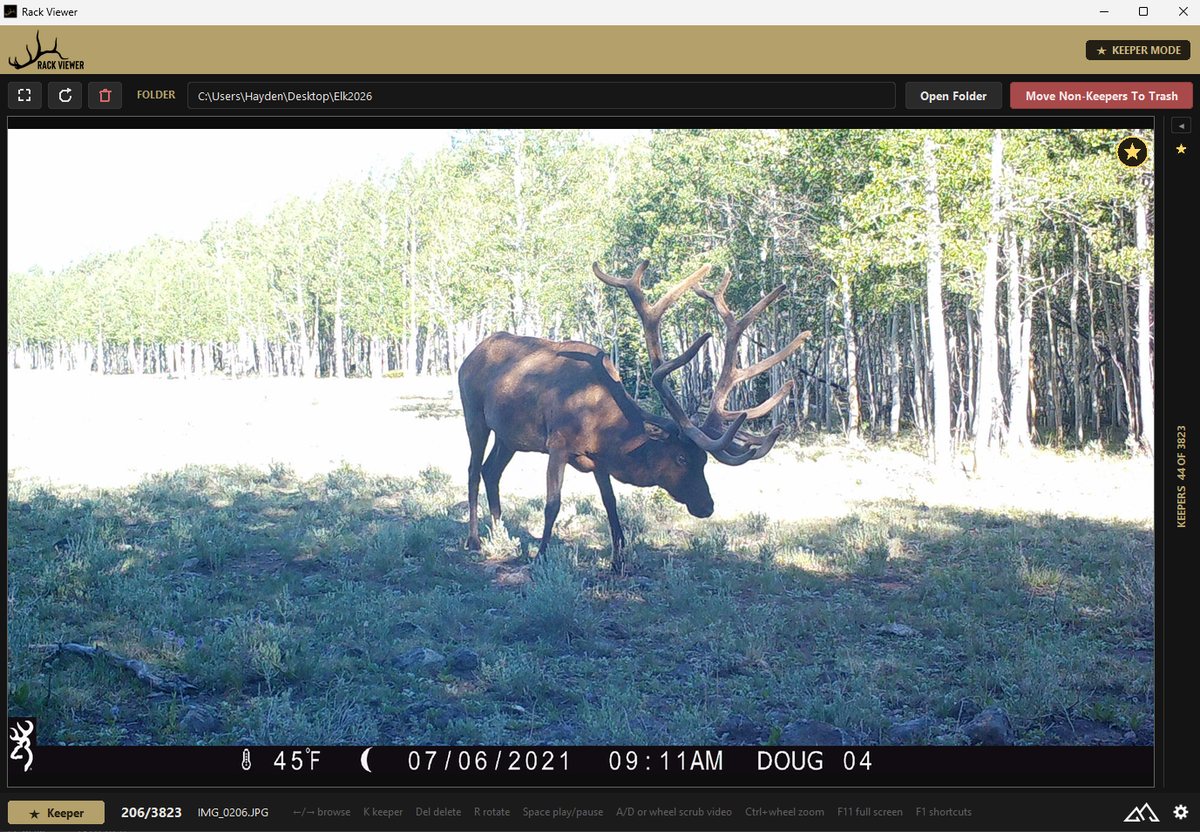
Rack Viewer with the keeper list collapsed so a bull elk trail-camera photo fills the window, the gold keeper star on the image, KEEPER MODE in the header, and 44 keepers of 3,823 on the slim side rail
How it works
Open a folder. Keep the good ones. Bin the rest.

Sorting your photos by species is one job. Deciding which ones are actually worth keeping is another, and that one is still yours. Rack Viewer just makes it fast.

01 // BROWSE

Never wait on a photo

Photos are decoded ahead of where you are, in the direction you're going, so holding the arrow key feels instant even on large images. Other image viewers load and spin every time you arrow to the next image, costing a lot of time. Rack Viewer loads all of those images as fast as you can arrow through them.

02 // KEEP

One key per photo

Mark anything worth keeping. A gold star lands on the image and the file drops into the keeper list, so you always know where you stand. If a folder is mostly worth keeping, switch to discard mode and mark only the rejects instead. Everything you leave unmarked stays exactly where it is.

03 // CLEAR OUT

Move the rest in one go

One Keeper Cleanup moves everything that isn't a keeper to one trash folder, grouped by where it came from, or in discard mode, just the ones you marked. Nothing is deleted; you empty that folder yourself when you're happy, and it goes to the Recycle Bin when you do.

A look at it
Everything on one screen

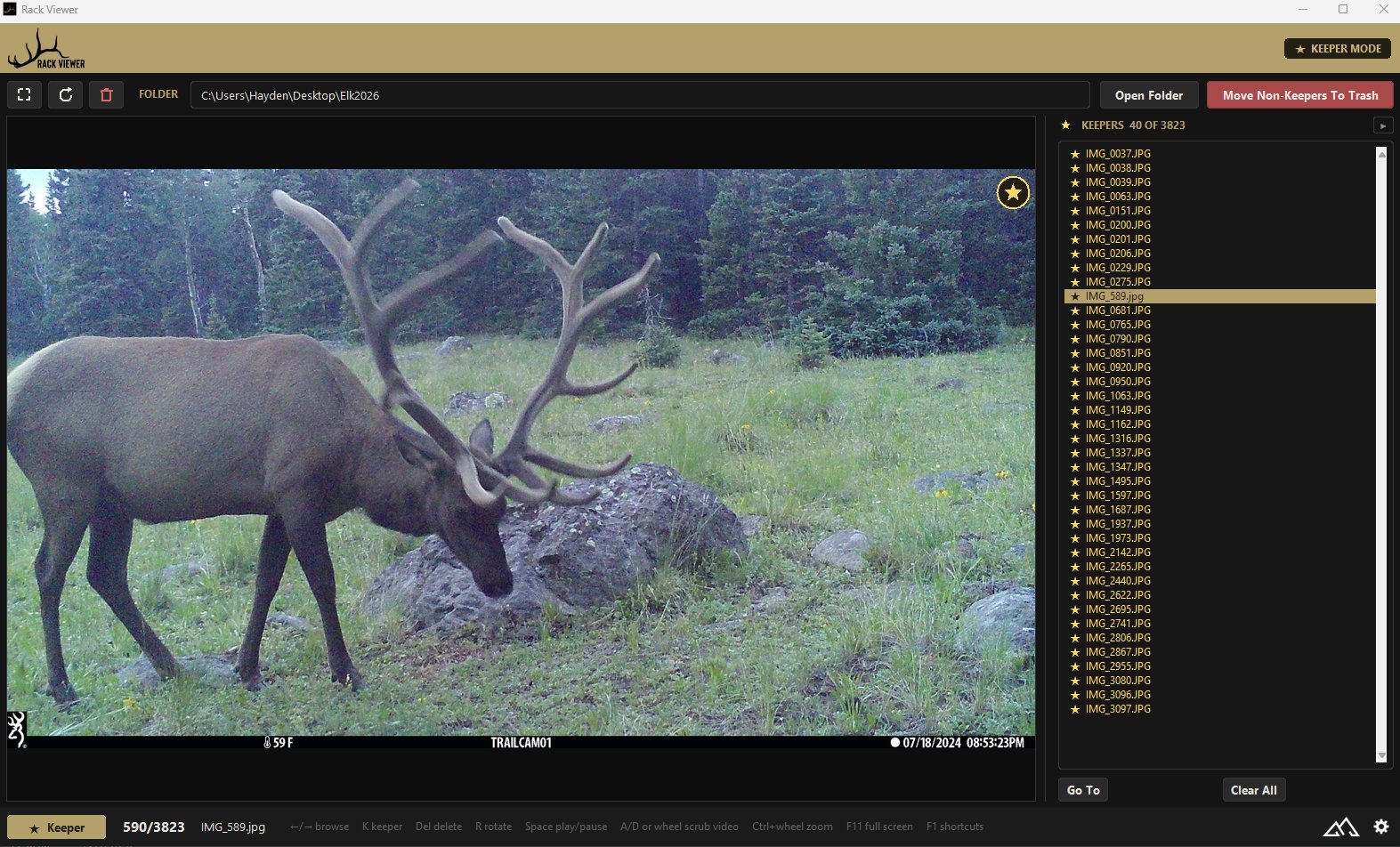
The photo as big as your monitor allows, your keepers listed beside it, and every count and shortcut along the bottom.

The full Rack Viewer window: a grazing bull elk marked as a keeper, the keeper list showing 40 flagged files, and the footer showing photo 590 of 3,823 with the keyboard shortcuts
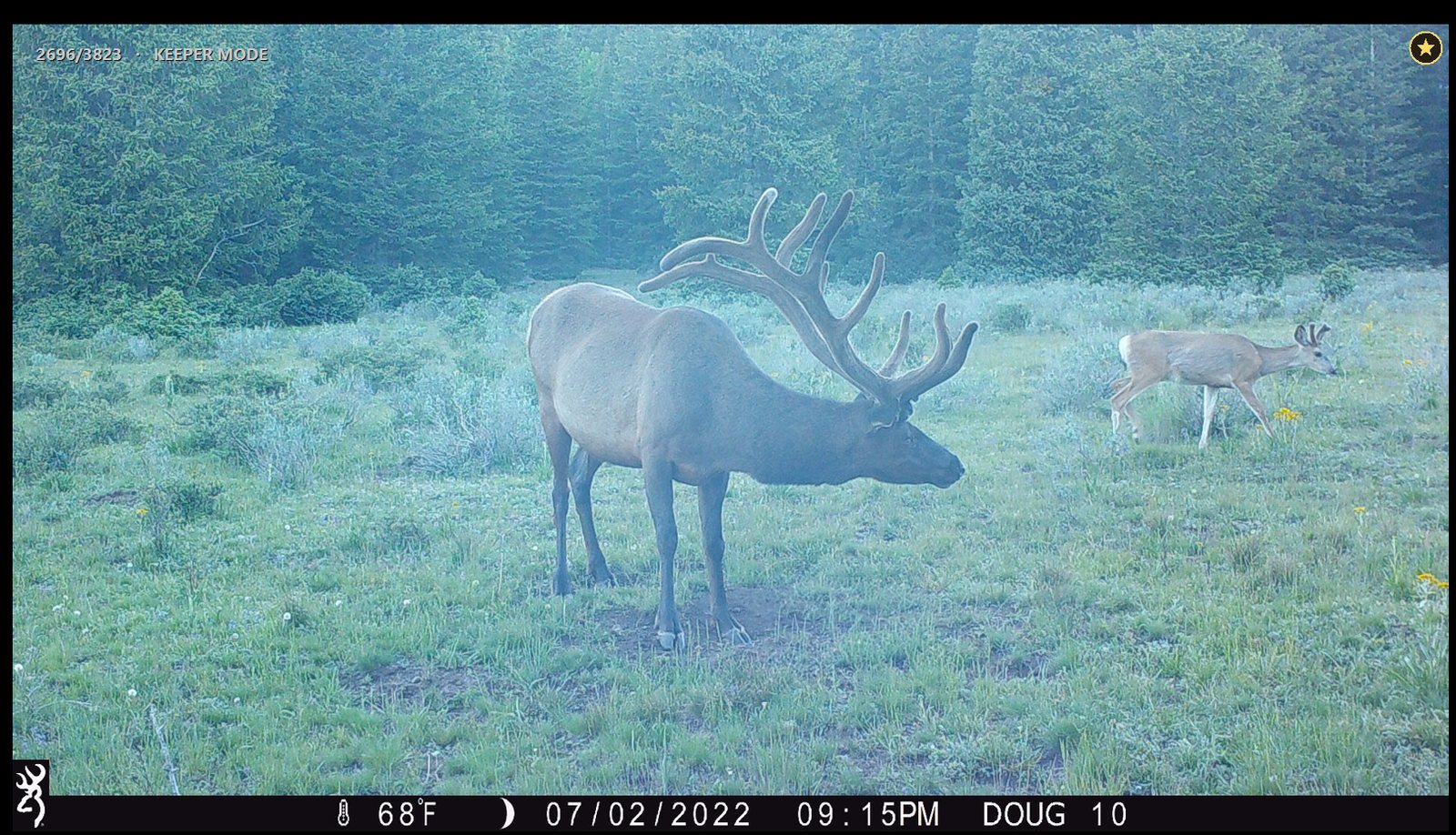
Rack Viewer in full screen: a bull elk and a mule deer fill the display, with 2696/3823 and KEEPER MODE in light grey at the top left and the gold keeper star at the top right
Full screen leaves the photo and nothing else, just your place in the folder, which way round you're working, and the mark.
Clips play in the window with sound, and start themselves when you land on one.
What's in it
Built for one job, done properly

Everything below works with no internet connection and no sign-in. The one exception is activating a license, which happens once.

VIDEO

Clips play with sound

Land on a clip and it starts playing on its own, so a card full of video reviews as fast as one full of photos. Play, pause, scrub, step a frame at a time and set the volume without leaving the window. Audio and picture stay locked together.

PICTURE

Zoom in, always the right way up

Ctrl and the scroll wheel zooms straight in on the pointer, and you can drag to pan, on a paused video frame too. Photos and clips arrive upright on their own, portrait phone video included. Anything that doesn't, one key turns, and on a photo that turn is written into the file itself, so it stays fixed in Explorer and anywhere else you send it.

FULL SCREEN

Just the photo

One key strips everything away but the image and its mark, with your place in the folder and which way round you're working shown in the corner. Every shortcut still works.

TRASH

Nothing goes without asking

Cleared-out files are moved, never removed, into one folder on your Desktop by default. Same-named photos from different cameras never overwrite each other. Emptying that folder is a separate, deliberate step, and it goes to the Recycle Bin, so even then it is recoverable.

OPEN WITH

Straight from Explorer

Right-click any photo and open it with Rack Viewer. It loads that photo's whole folder, ready to review from where you clicked.

OFFLINE

Your photos stay yours

No account, no upload, no telemetry. Not one photo or video ever leaves your computer. The only thing that ever goes online is a one-time license activation, so it works exactly the same at camp with no signal.

Demo
See it in action

Three demos: how fast it moves, and both ways of working through a card.

Demo video coming soon

Get it
Free to view. $20 to clear out.

Download it and start reviewing. No account, no card, nothing to enter. You only pay if you want to keep clearing out after the first ten runs.

$20 / one-time

Free forever: browsing, keeper stars, zoom, full screen and video with sound. No time limit and no license needed.

The license covers Keeper Cleanups, moving every non-keeper to your trash folder in one click. You get 10 free to try it; after that a license makes them unlimited.

One license activates on one computer · no subscription · free updates · works offline once activated. Buying Rack Detector includes a Rack Viewer license.

Non-refundable; your 10 free Keeper Cleanups let you try it on your own photos first. See our Terms.

▸ Moving to a new computer? Email us and we will transfer your license.

We email your license code to the address you use at checkout. Enter it under Settings → License, or from the banner at the top of the window.

Questions? Email elevationtechnology@outlook.com
More from Elevation
Our other hunting tools

Same shop, same approach. Your data stays yours, and everything works where the signal doesn't.